

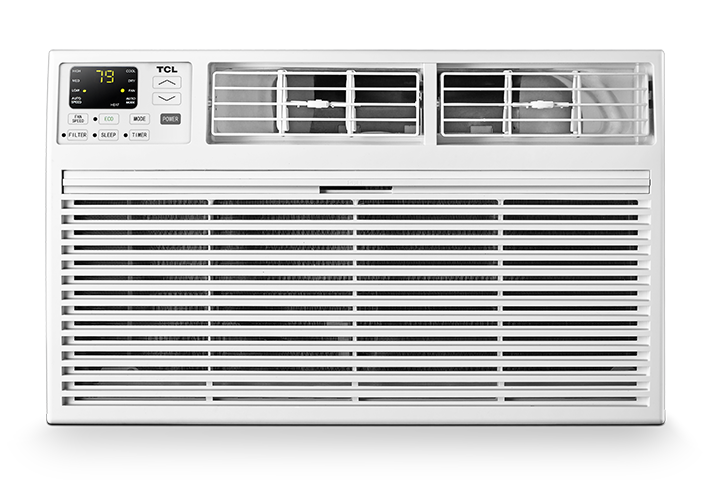

The Clean Filter light is a maintenance reminder letting you know that it is time to inspect and clean the air filter.
The light is based on operating time and does not directly detect how dirty the filter is. It does not necessarily mean that the air conditioner is malfunctioning.
Cleaning the filter helps maintain proper airflow, cooling performance, and energy efficiency. A heavily clogged filter can restrict airflow, reduce cooling, make the air conditioner work harder, and potentially contribute to frost or ice forming inside the unit.
Step 1: Turn Off and Unplug the Air Conditioner
Turn the air conditioner off and then unplug it from the wall outlet.
Why this step is needed:
Disconnecting the power prevents the air conditioner from accidentally turning on while you are removing or cleaning the filter.
Step 2: Locate and Remove the Air Filter
Locate the air filter and carefully remove it from the air conditioner.
The filter may slide out from the front, side, top, or back of the unit, depending on whether you have a window or portable air conditioner. Refer to your product’s user manual if you are unsure where the filter is located or how it should be removed.
Why this step is needed:
The filter collects dust, pet hair, pollen, and other airborne particles before they enter the air conditioner. Removing it allows you to inspect the entire filter and clean both sides properly.
Do not operate the air conditioner without the filter installed.
Step 3: Inspect the Filter
Check the filter for visible dust, dirt, pet hair, or other debris.
If there is only a small amount of loose dust, gently clean the filter with a vacuum cleaner using a soft brush attachment.
Why this step is needed:
Removing loose debris first makes the filter easier to wash and prevents dirt from being pushed deeper into the filter material.
Step 4: Wash the Filter
If the filter is washable, rinse it with lukewarm water. Use a small amount of mild soap if additional cleaning is needed.
Gently rinse both sides until the dust and dirt have been removed.
Do not use harsh chemicals, bleach, abrasive cleaners, or very hot water unless specifically permitted in your model’s user manual.
Why this step is needed:
Washing removes smaller particles that vacuuming may leave behind. Restoring airflow through the filter helps the air conditioner circulate air and cool the room more efficiently.
Step 5: Allow the Filter to Dry Completely
Place the filter in a clean, shaded area and allow it to air-dry completely.
Do not reinstall the filter while it is wet or damp.
Why this step is needed:
A wet filter can add unwanted moisture inside the air conditioner. Allowing it to dry completely helps prevent musty odors and reduces the chance of mold or mildew developing inside the unit.
Step 6: Reinstall the Filter
Once the filter is completely dry, place it back into the air conditioner in the same position and direction in which it was removed.
Make sure the filter is fully seated, and securely close any filter cover or front panel.
Why this step is needed:
An incorrectly installed filter may allow dust to enter the air conditioner or may restrict airflow. Proper installation ensures that incoming air passes through the filter before entering the unit.
Step 7: Reset the Clean Filter Light
Plug the air conditioner back into the wall outlet and turn it on.
To reset the reminder:
- Press and hold the Filter or Clean Filter button for approximately 5 to 10 seconds.
- If your air conditioner does not have a Filter button, press and hold the Fan or Fan Speed button for approximately 5 to 10 seconds.
Release the button when the Clean Filter light turns off.
Why this step is needed:
Cleaning the filter does not automatically reset the operating-time reminder. Holding the appropriate button tells the air conditioner that the filter has been cleaned and restarts the maintenance timer.
If the Clean Filter Light Does Not Turn Off
If the light remains on:
- Make sure the air conditioner is turned on.
- Press and hold the Filter button for the full 10 seconds.
- If there is no Filter button, try the Fan or Fan Speed button.
- Confirm that you are holding the button rather than quickly pressing and releasing it.
- Check your model’s user manual for model-specific reset instructions.
Contact TCL Support if the light remains on after following the correct reset procedure.
How Often Should the Filter Be Cleaned?
Do not rely only on the Clean Filter reminder. Inspect the filter regularly and clean it approximately every 30 to 90 days, depending on how often the air conditioner is used and the conditions inside your home.
The filter may need to be cleaned more frequently when:
- The air conditioner is used every day.
- The room is especially dusty.
- Pets are present in the home.
- Someone smokes inside the home.
- Airflow or cooling performance begins to decrease.
- You notice dust collecting around the air intake or vents.
Regular filter cleaning helps your TCL air conditioner maintain proper airflow, provide more effective cooling, and operate more efficiently.