

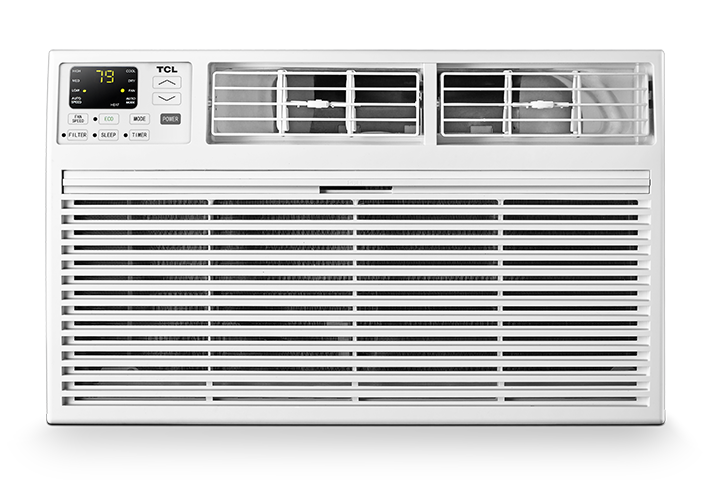

Unusual noises from an air conditioner can be caused by something simple (like a loose panel or dirty filter) or something that needs service (like a failing fan motor). Use the steps below to safely identify the most common causes.
Before You Start: Safety First
- Turn the AC off and wait a few minutes.
- If you’ll be checking anything inside the unit, unplug it (or turn off the breaker for central systems).
- If you smell burning, see smoke, or hear sparking/crackling, stop and contact a professional.
Step 1: Identify the Type of Noise
Different sounds usually point to different causes:
- Rattling / Vibrating: loose screws, loose front panel, unit not level, debris
- Buzzing / Humming: electrical issue, loose wiring, failing capacitor, fan motor strain
- Clicking: normal relay/start clicks (sometimes), thermostat cycling, loose parts
- Squealing / High-pitched screech: belt/motor issues (more common in older systems), fan motor bearings
- Grinding / Metal-on-metal: fan or motor damage (service recommended)
- Gurgling / Hissing: refrigerant flow (some is normal), airflow restriction, possible refrigerant leak (service recommended)
- Banging / Thumping: fan hitting something, loose blower wheel, debris in outdoor unit
Step 2: Quick Fixes You Can Do at Home
A) Check the Air Filter (Most Common)
- A clogged filter can make the system work harder and create whistling, humming, or rattling sounds.
- Turn the unit off.
- Remove the filter.
- Clean or replace it (follow the filter arrow for airflow direction).
- Turn the unit back on and listen for improvement.
- Tip: Replace/clean filters regularly, especially during heavy use.
B) Make Sure the Unit Is Stable and Level
- A unit that shifts during operation can vibrate loudly.
- Window AC: confirm it’s seated firmly in the window and supported properly.
- Portable AC: make sure it’s on a flat surface and the exhaust hose isn’t kinked.
- Outdoor condenser (central/mini-split): ensure the pad/bracket is stable.
C) Inspect for Loose Panels or Screws
- Rattling often comes from a loose cover.
- Turn the unit off.
- Gently press on the front cover/panels to see if the noise changes.
- Tighten any accessible screws (do not overtighten).
D) Look for Debris or Obstructions
- Leaves, dust, or small objects can cause clicking, rattling, or grinding.
- Window/portable units: check the front intake area for objects.
- Outdoor units: remove visible debris around the outside (keep at least 2 feet of clearance).
E) Check the Fan (When Safe)
- If you hear a repeating tapping or scraping, the fan may be hitting something.
- Turn off/unplug the unit.
- Look for obvious obstructions near the fan area (don’t force anything).
- If you see damaged blades or the fan appears off-center, stop and contact service.
Step 3: Reset the Unit
- A quick reset can clear minor control issues that cause repeated clicking or odd cycling.
- Unplug the AC (or turn off the breaker) for 5 minutes.
- Plug it back in (for plug units, press TEST then RESET on the plug if present).
- Turn the unit on and test.
When to Contact TCL Support
Stop troubleshooting and contact TCL Support for the following:
- Grinding, screeching, or metal-on-metal sounds
- Buzzing that continues and the unit won’t start or keeps shutting off
- Electrical burning smell, smoke, or sparking
- Hissing along with poor cooling (possible refrigerant issue)
- The noise is getting worse over time or the unit is vibrating violently
Helpful Tips to Prevent Noise
- Keep filters clean.
- Keep the area around the unit clear of dust/debris.
- Ensure the unit is stable and properly installed.
- Don’t run the unit with blocked vents or a kinked exhaust hose (portable ACs).