

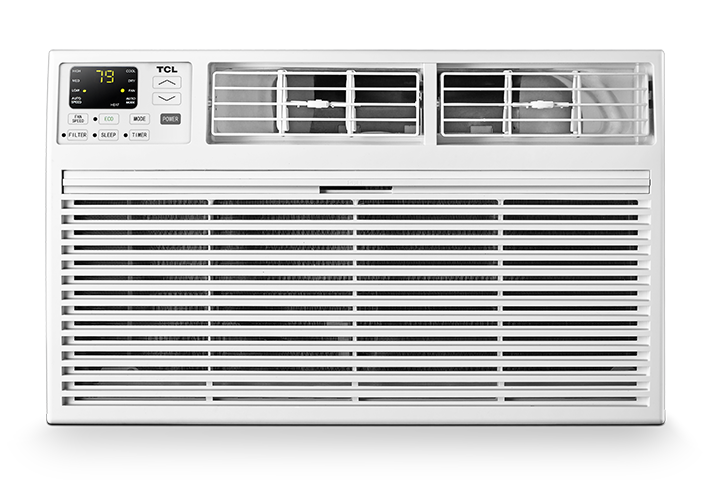

Some TCL air conditioners allow you to change the temperature display between Fahrenheit °F and Celsius °C using the remote control.
Use the steps below to switch the temperature unit shown on the air conditioner display.
Note: These steps may vary by model. This process must be completed within the first 3 minutes after the air conditioner is plugged back in and powered on.
Before You Start
You will need:
- The TCL air conditioner remote control
- Access to the wall outlet or power cord
- The air conditioner powered off before beginning
Make sure you complete the button sequence exactly as listed. Timing is important.
How to Switch Between Fahrenheit and Celsius
- Turn off the air conditioner.
- Unplug the air conditioner from the wall outlet.
- Wait at least 30 seconds.
- Plug the air conditioner back into the wall outlet.
- Press the Power button if the unit does not turn on automatically.
- Set the air conditioner to Cool mode.
- Set the temperature to either:
- 30°C, or
- 86°F
- Set the fan speed to Medium.
- Press and release the Sleep button on the remote 8 times within 8 seconds.
- Wait about 4 to 7 seconds.
The temperature display should switch from Fahrenheit to Celsius, or from Celsius to Fahrenheit.
If the Temperature Display Does Not Change
If the display does not switch, start over from the beginning.
Before trying again, make sure:
- The air conditioner was unplugged for at least 30 seconds.
- The unit is set to Cool mode.
- The temperature is set to 30°C or 86°F.
- The fan speed is set to Medium.
- The Sleep button is pressed and released 8 times within 8 seconds.
- The entire process is completed within the first 3 minutes after the air conditioner is powered on.
Helpful Tips
- Press and release the Sleep button quickly, but do not hold it down.
- Use the original TCL remote control, if available.
- Make sure the remote has working batteries.
- Point the remote directly at the air conditioner while pressing the buttons.
- If the setting does not change, unplug the unit and try the steps again from the beginning.
Reminder
Not all TCL air conditioner models may support the same button sequence. Button names, display behavior, and available settings may vary by model.