

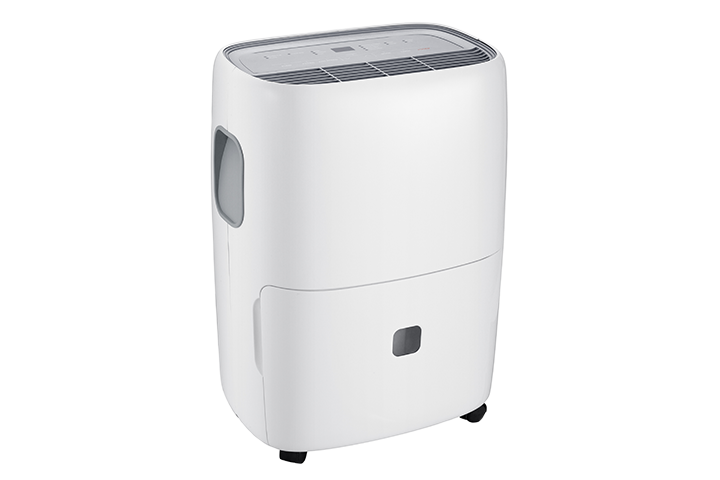

If you see ice forming on the metal coils inside your TCL dehumidifier, it usually means the unit can’t remove moisture properly. It’s not normally dangerous, but it does mean the dehumidifier isn’t working as it should. This guide will walk you through simple, safe steps you can try at home.
What does “icing up” look like?
You may notice:
- Ice or frost on the metal coils behind the front grille or filter
- Little or no water collecting in the bucket, even though the unit is running
- Colder air than usual coming from the front
- The unit shutting off more often than normal
If you see sparks, smell burning, or hear loud popping noises, turn the unit off and unplug it right away and contact TCL support.
Why dehumidifier coils can freeze
Common reasons include:
- Room is too cold – Most dehumidifiers are designed to work best in warmer rooms. If the room is too cool, the coils can freeze.
- Dirty or clogged air filter – Reduced airflow makes the coils too cold.
- Airflow blocked – Objects too close to the front or back of the unit.
- Humidity level set too low – The dehumidifier tries to pull too much moisture out of the air, overworking the system.
Step 1: Turn the dehumidifier off and let it defrost
- Press the Power button to turn the unit off.
- Unplug the dehumidifier from the wall.
- Open the front or grille area enough to see the coils (if your model allows this easily).
- Leave the unit off until all ice has melted and the coils are clear and wet, not frosty.
- You may want to put a towel under or around the unit in case extra water drips as the ice melts.
Do not use hair dryers, heaters, or sharp objects to remove the ice. This can damage the coils and may be unsafe.
Step 2: Clean the air filter
- A dirty filter is a very common cause of icing.
- Make sure the unit is still unplugged.
- Remove the filter. (On most TCL dehumidifiers, the filter is located behind the front grille or air intake.)
- Rinse the filter gently with lukewarm water until dust and debris are removed.
- Shake off extra water and let the filter air-dry completely.
- Once dry, reinstall the filter securely.
If the filter is damaged, torn, or won’t come clean, it may need to be replaced.
Step 3: Make sure air can flow freely
- Your dehumidifier needs good airflow to avoid icing:
- Keep at least several inches of space around all sides of the unit.
- Move furniture, boxes, curtains, or walls away from the front and back of the dehumidifier.
- Do not place items on top of the unit that block vents.
- Good airflow helps keep the coils at the correct temperature.
Step 4: Check the room temperature
- Dehumidifiers work best in warmer rooms.
- If the room is too cold (often below around 65°F / 18°C), the coils are more likely to freeze.
- If possible, move the dehumidifier to a warmer room or use it when the room is warmer.
- Avoid running the dehumidifier in unheated basements, garages, or very cool rooms for long periods.
Step 5: Adjust the humidity setting
After the unit has fully defrosted and the filter is clean:
- Plug the dehumidifier back in.
- Turn it on.
- Set the desired humidity level to a reasonable value (for example, around 45–55%), not the driest or lowest possible setting.
- If the humidity is set extremely low (very dry), the unit may run more often and can be more likely to ice up in cooler conditions.
Step 6: Check the bucket and drain
- Make sure the bucket is seated properly and is not overfilled.
- If you are using a continuous drain hose, check that the hose is not kinked or blocked, and that water can flow out freely.
- Restricted drainage won’t usually cause ice directly, but it can make the unit cycle oddly and not perform well.
When to contact TCL support
If the coils continue to ice up even after you:
- Let the unit fully defrost
- Cleaned the air filter
- Cleared space around the unit for airflow
- Ensured the room is not too cold
- Adjusted the humidity setting
- …then there may be an internal issue that needs professional service.
Please contact TCL support with:
- The model number and serial number of your dehumidifier
- A description of what you see (where the ice forms, how often, any error codes or lights)
- Any troubleshooting steps you have already tried
- We’ll be happy to review the situation and help with the next best steps.